Context
What is CUApts
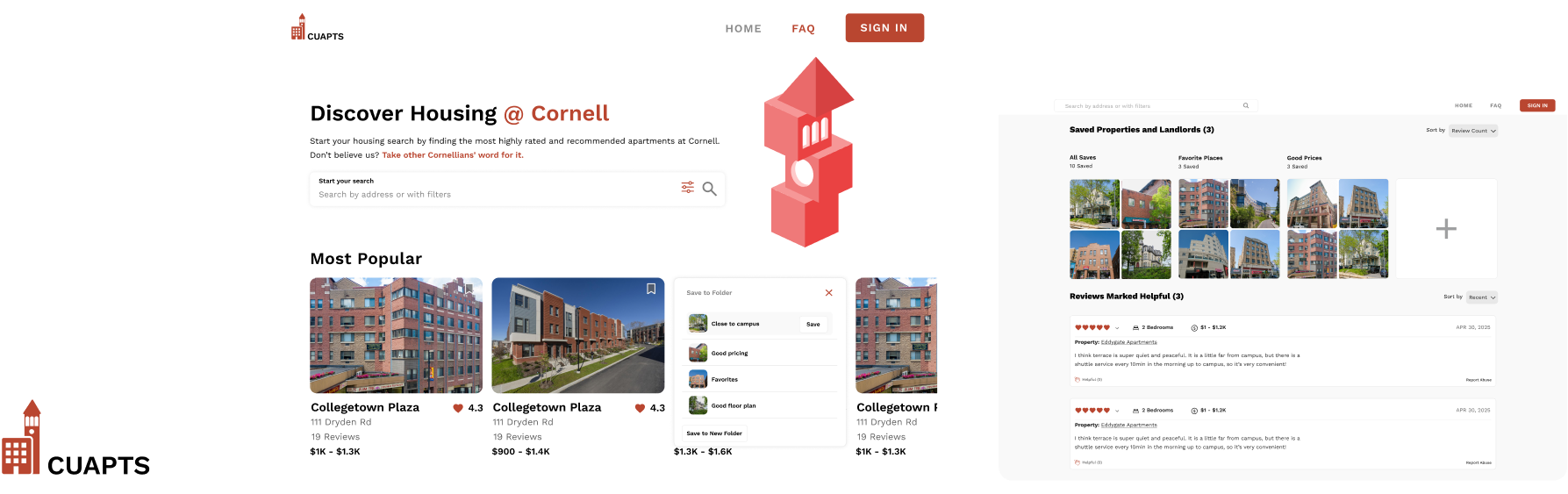
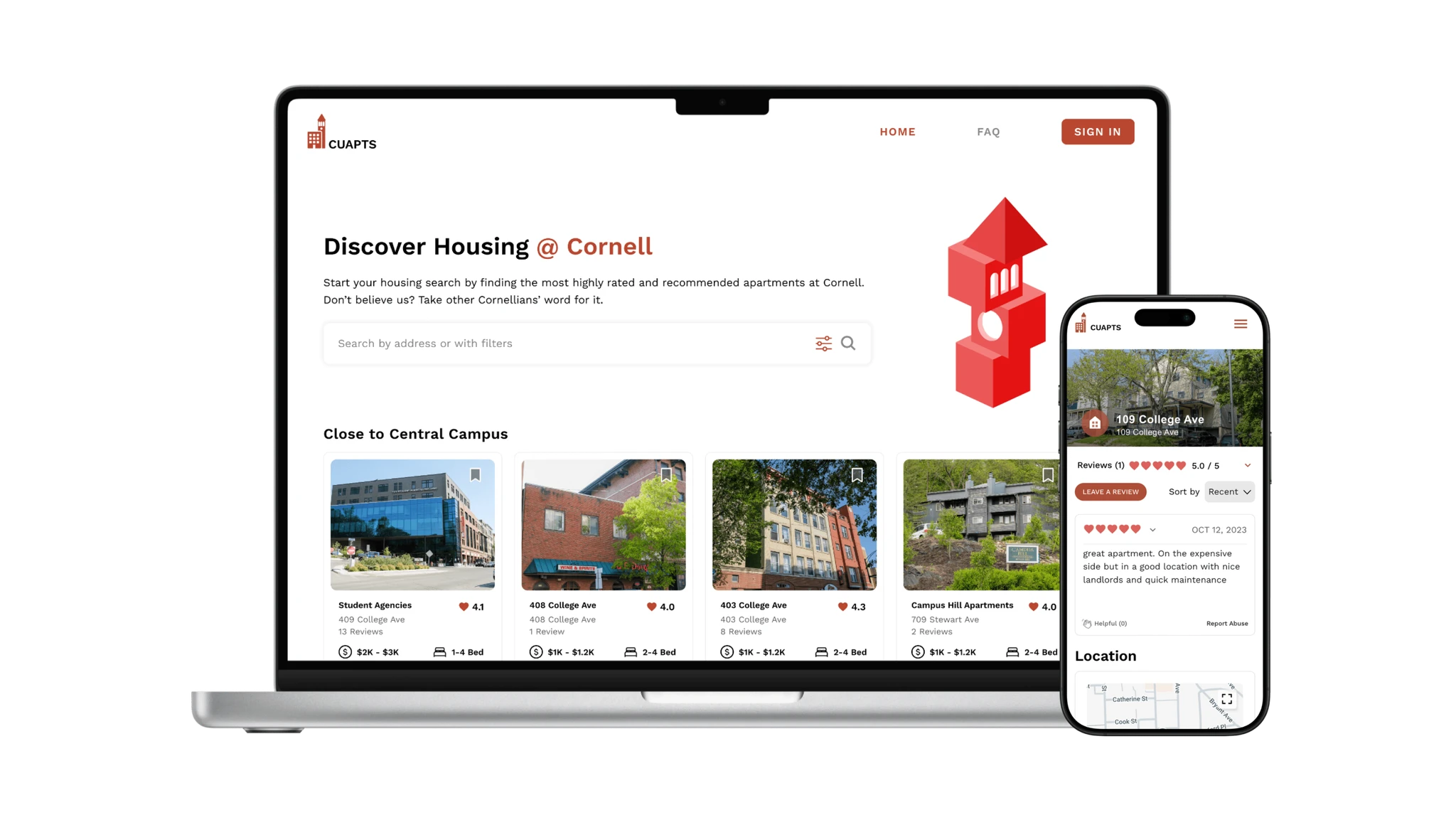
A tool that helps Cornell students navigate off-campus housing by browsing listings, comparing options, and reading real apartment reviews. It brings housing information into one place so students can make more informed decisions about where to live in Ithaca.
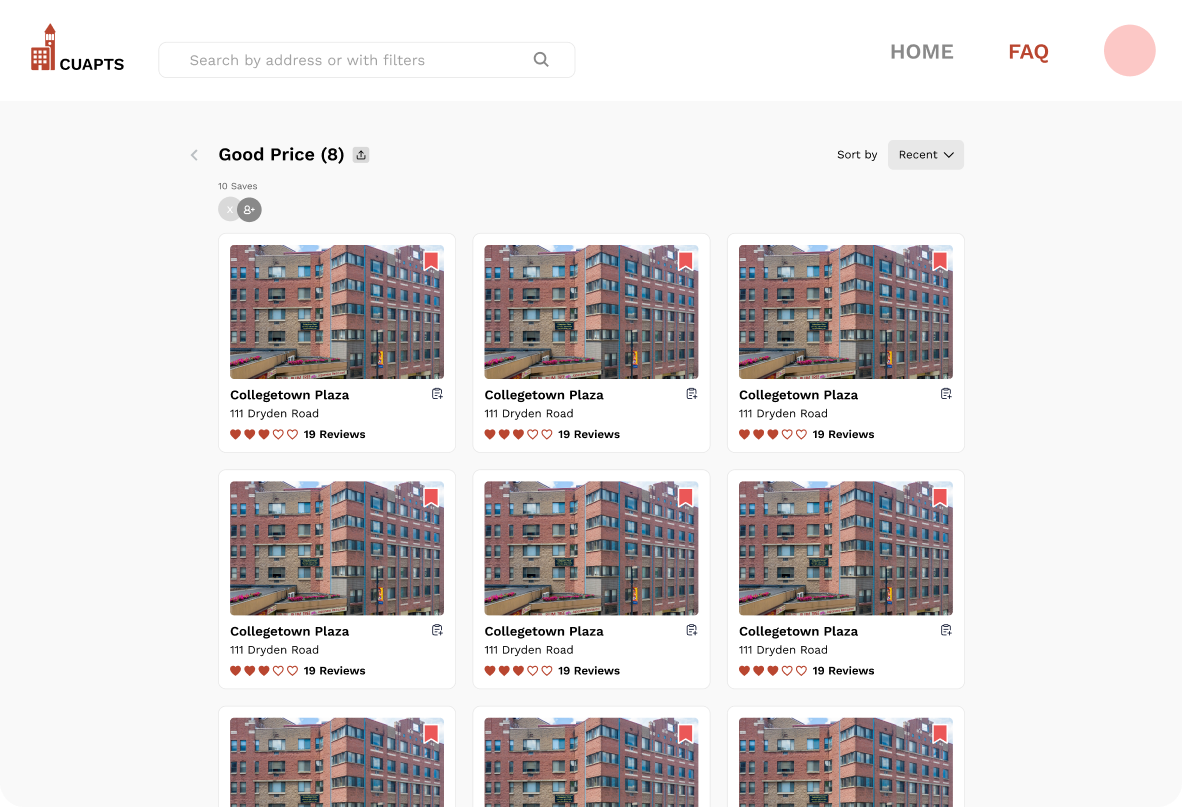
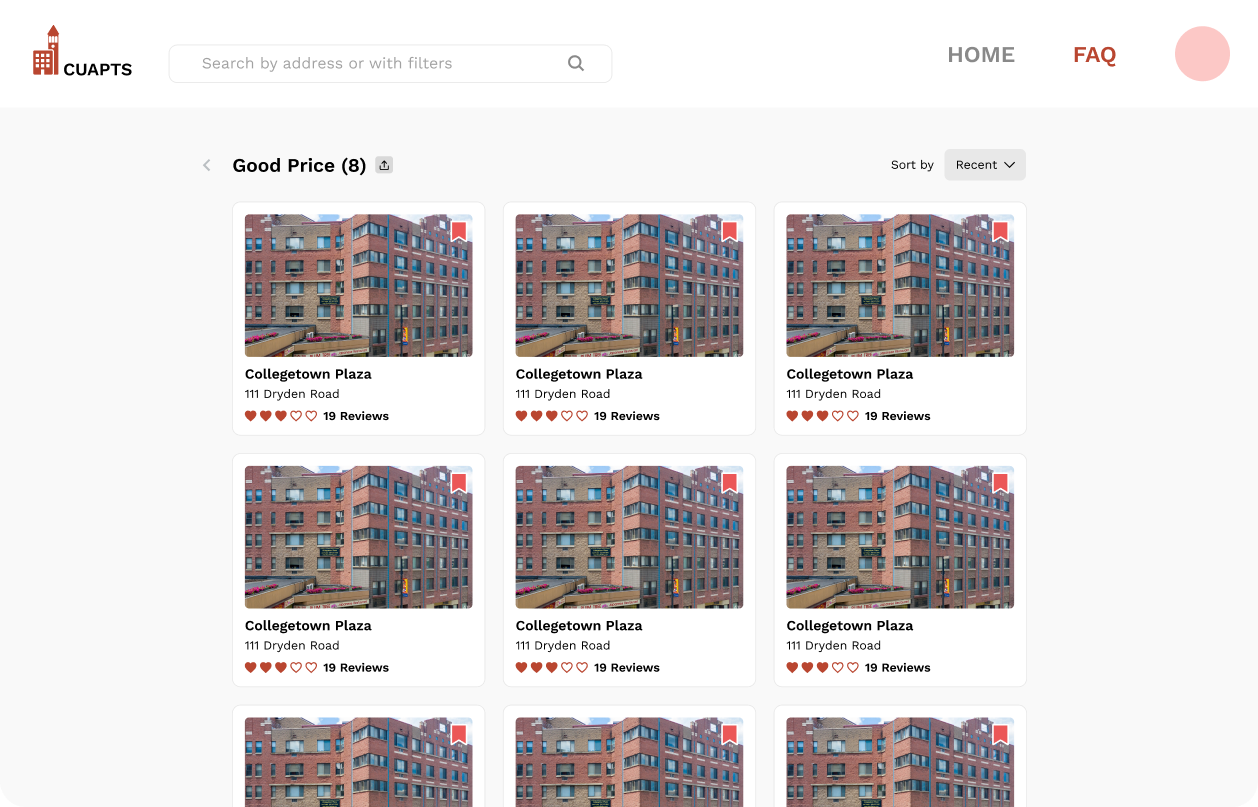
In Fall 2025, CUApts aims to move beyond housing discovery toward a more holistic housing planning experience. I designed a Saved Folders system that allows students to organize apartments, add notes, and share folders with roommates, supporting more personalized and collaborative decision-making.
Problem
Students need more than saved listings
While CUApts makes it easy to discover and bookmark apartments, it offers limited support once students start comparing options and coordinating with roommates. As a result, the housing search process lacks:

Organization
Saved apartments live in a single flat list, making it hard to categorize, prioritize, or track progress.

Collaboration
Students can’t share saved apartments, leave notes, or coordinate decisions with roommates in one place.

Planning
Bookmarks lack tools for comparison, pros and cons, or decision status, pushing users to external tools.
User Research
Students struggle to organize saved apartments
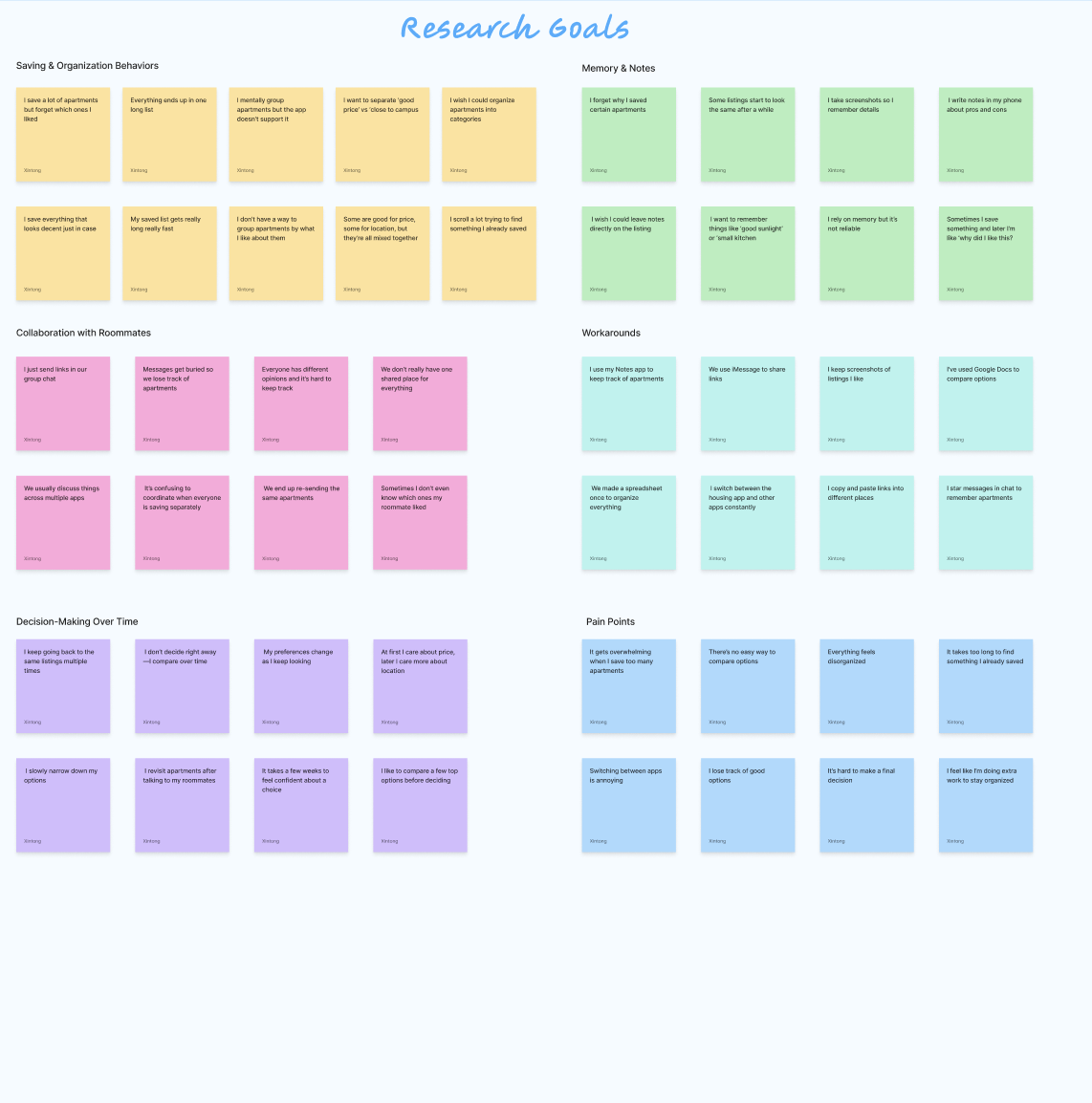
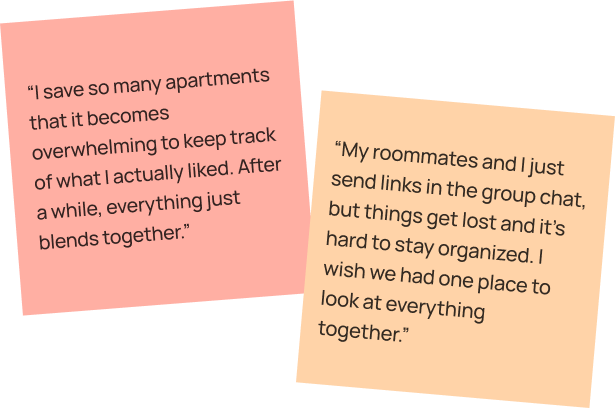
From my research, I found that students struggle to organize and compare apartment options over time. Many rely on external tools to manage their search and coordinate with roommates.
Market Research
Learning from existing housing platforms
Looking at how other platforms manage saved lists and sharing helped identify opportunities to improve student collaboration.

Booking.com

Filters & sorting
Multiple folders

No collaboration tools

Airbnb
Multiple wishlists
Shared collaboration
Hard to move listings

Zillow
Strong filters for saves
Clear tags for comparison
Limited organization
The main insight is that these platforms prioritize individual organization over collaborative planning before housing decisions.
Key Insights
Housing decisions need shared planning
Based on an evaluation of CUApts’ current features and common student housing behaviors, these insights highlight key gaps in how users organize, plan, and decide on housing together.

Housing is a shared decision
Students rarely choose apartments alone and need tools that support coordination with roommates.

Decisions unfold over time
Students revisit listings repeatedly and need ways to compare, update, and track options across weeks.

Students need better tools
When planning tools are missing, students rely on external apps like notes or group chats.
Key Design Decisions
Save to folder
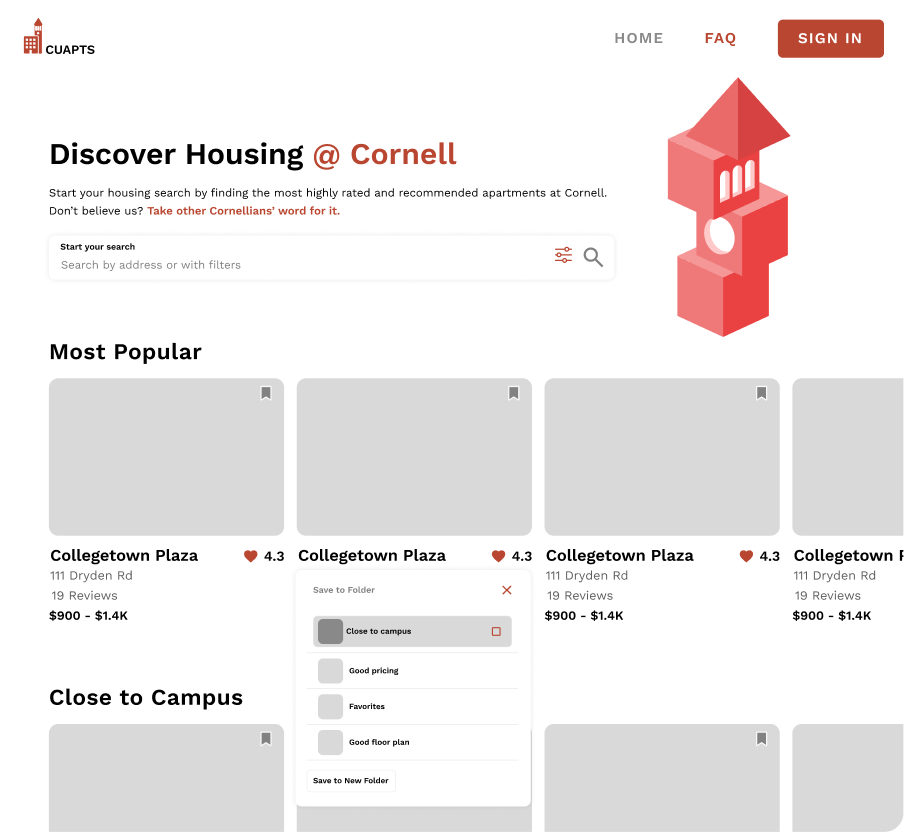
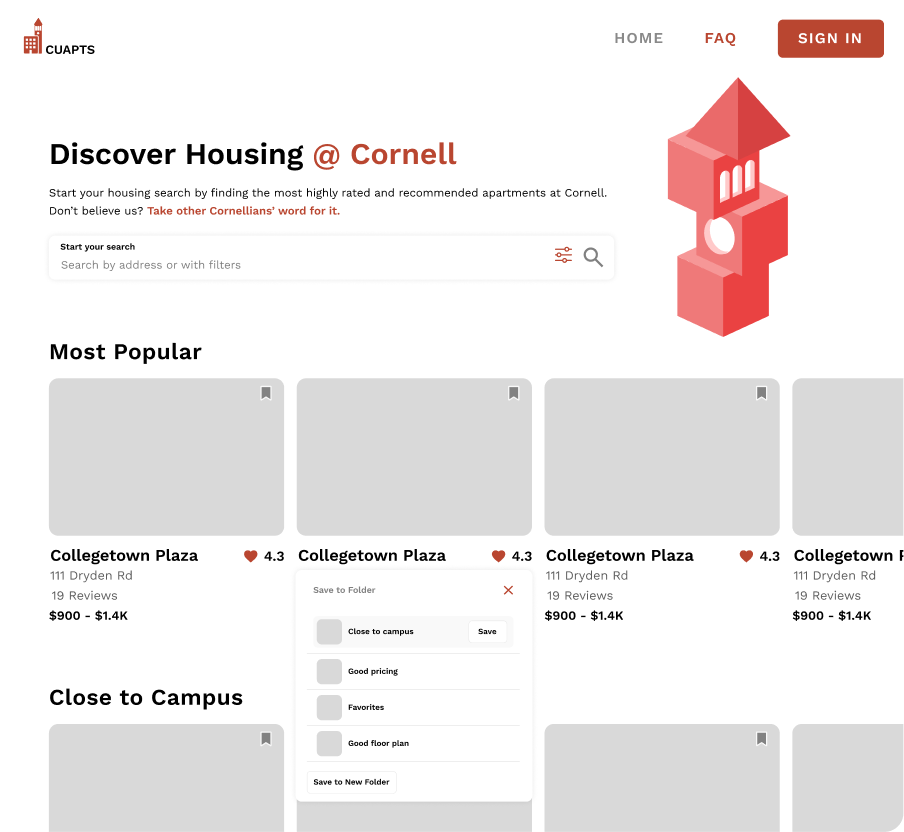
To support the new Saved Folders feature, I explored different interaction patterns for saving apartments. The goal was to allow users to save listings quickly while minimizing confusion and accidental actions during browsing.
Checkbox exploration
Supports saving to multiple folders at once
Less familiar pattern for housing apps
Higher risk of accidental selection during browsing
Saved button (final)
Provides clear status feedback (saved vs. unsaved)
Matches familiar save interactions across housing and shopping apps
Reduces accidental actions during fast scrolling
I chose the Save button interaction because it balanced clarity, familiarity, and error prevention, which were more critical than multi-folder saving at the moment of discovery.
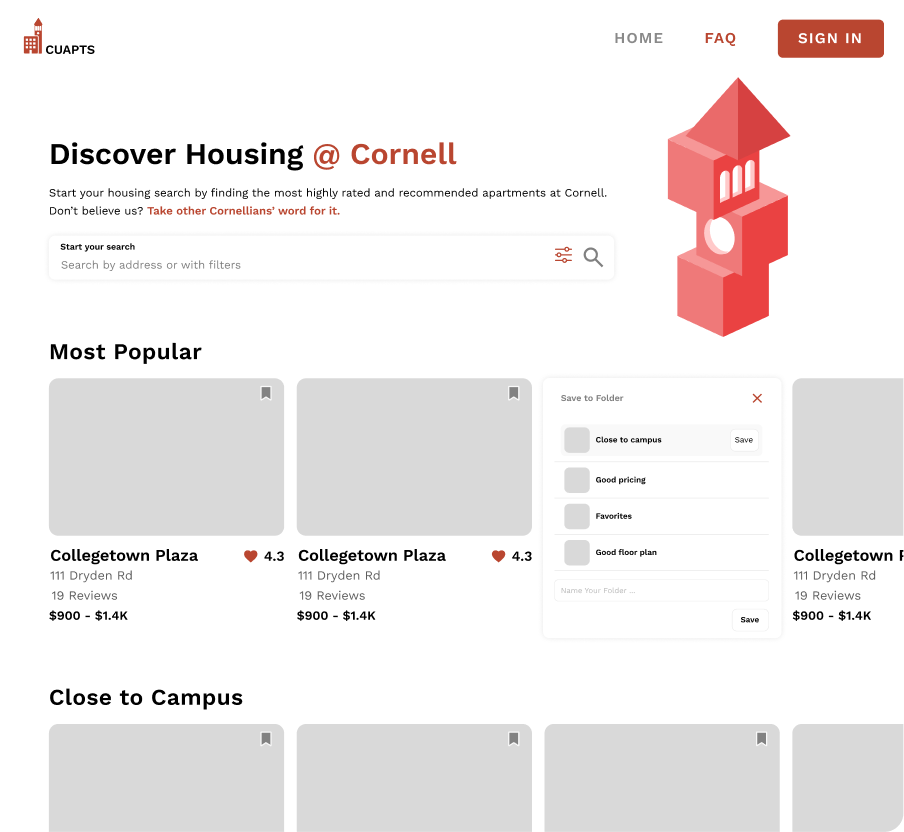
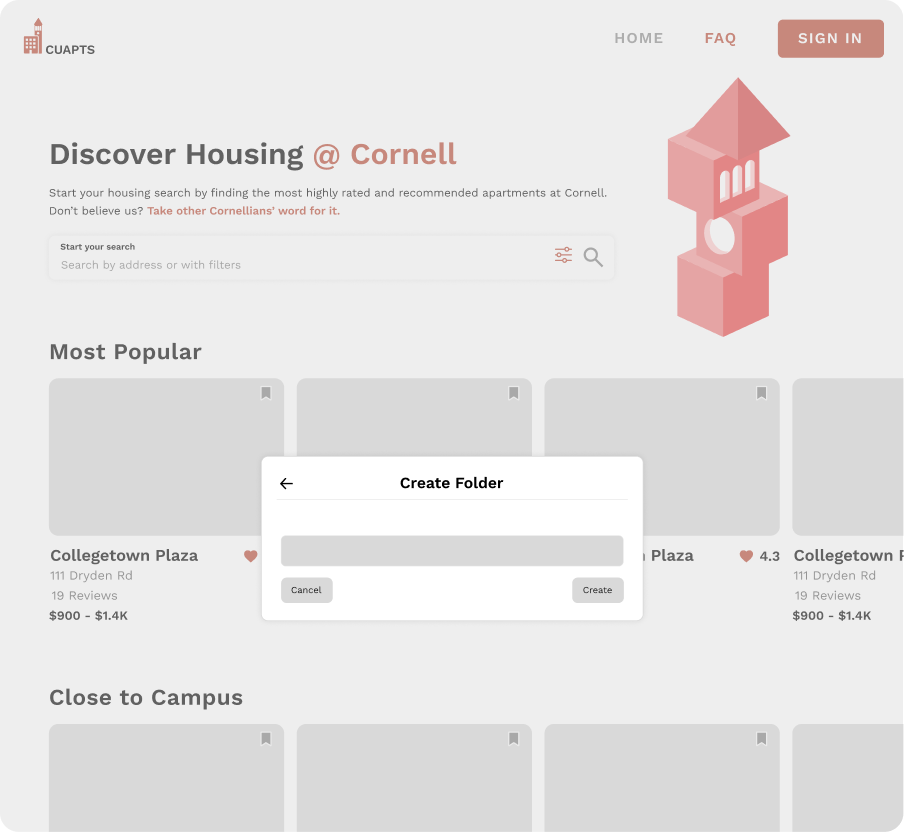
Save to new folder
Clicking save to new folder
Keeps users in context without leaving the current view
UI change feels unexpected and visually disconnected from the action
Inline text input increases risk of hesitation or misclicks during saving
Create folder modal (final)
Uses a familiar modal pattern that clearly communicates a new step
Provides focused attention on naming the folder
Creates a predictable flow that feels intentional and easy to follow
Design Edge Cases
While working with the PM and TPM, we identified edge cases around viewing a folder as a collaborator versus through a shared link. Addressing these helped clarify access levels and prevent user confusion.