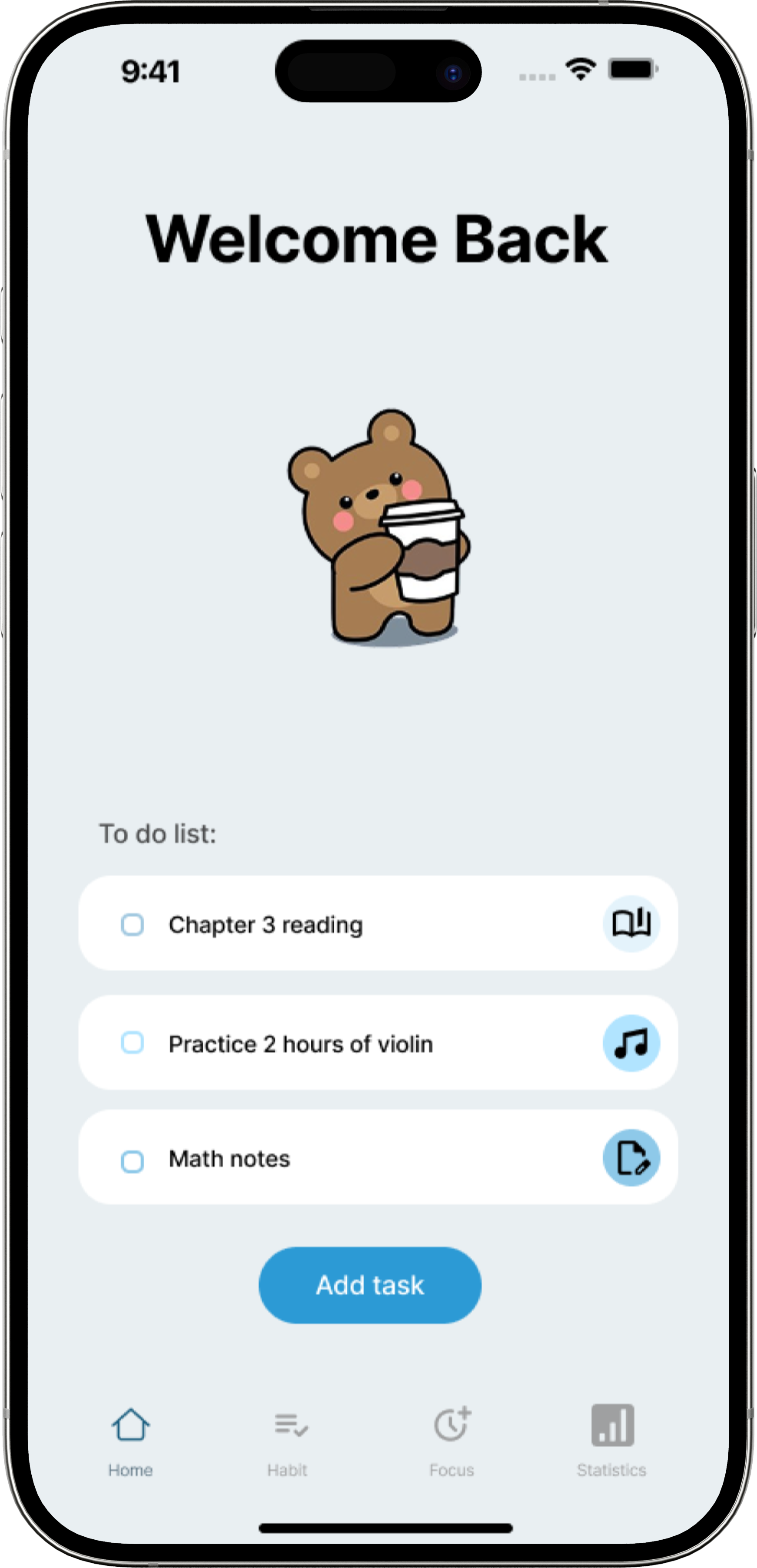
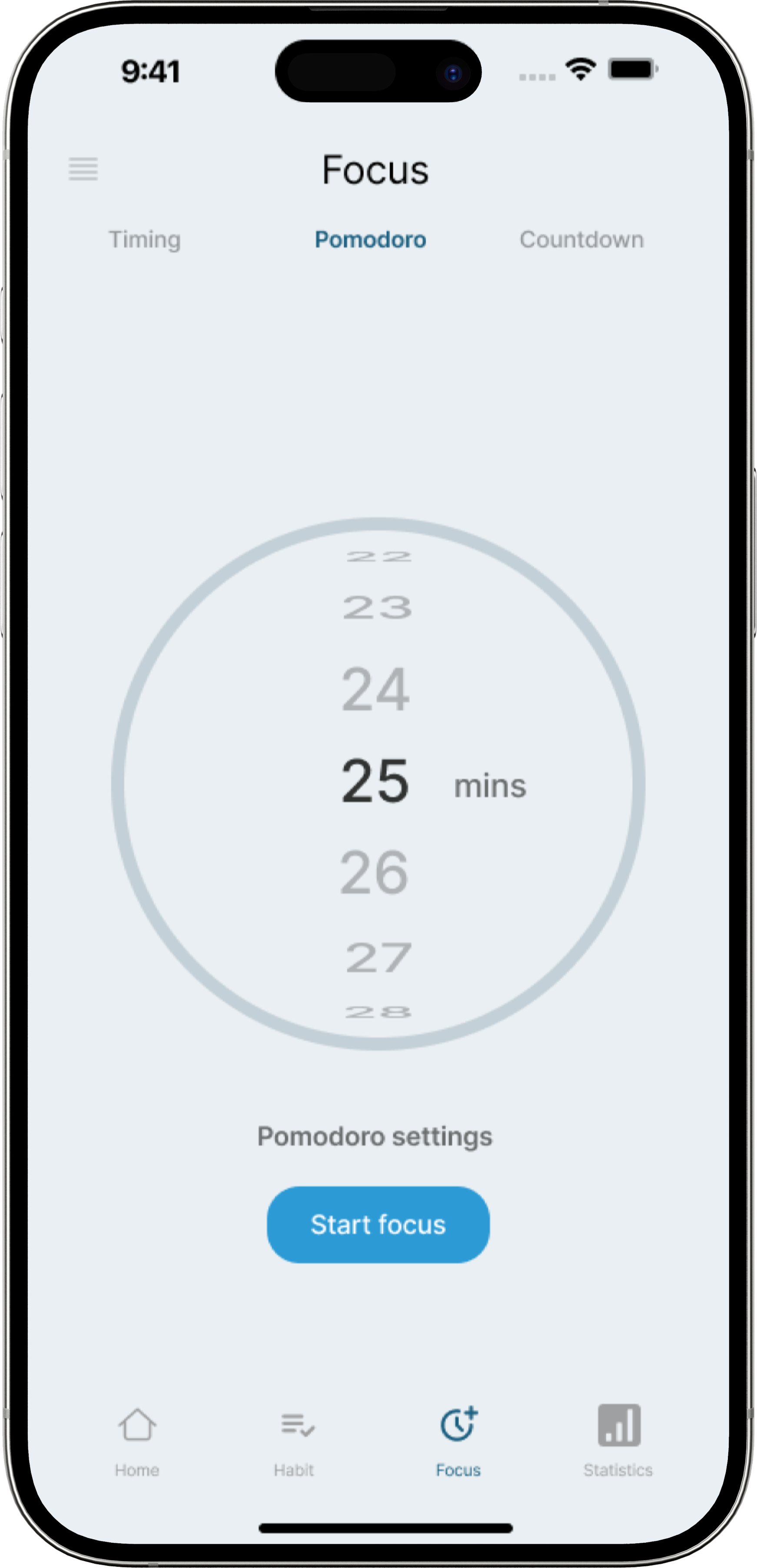
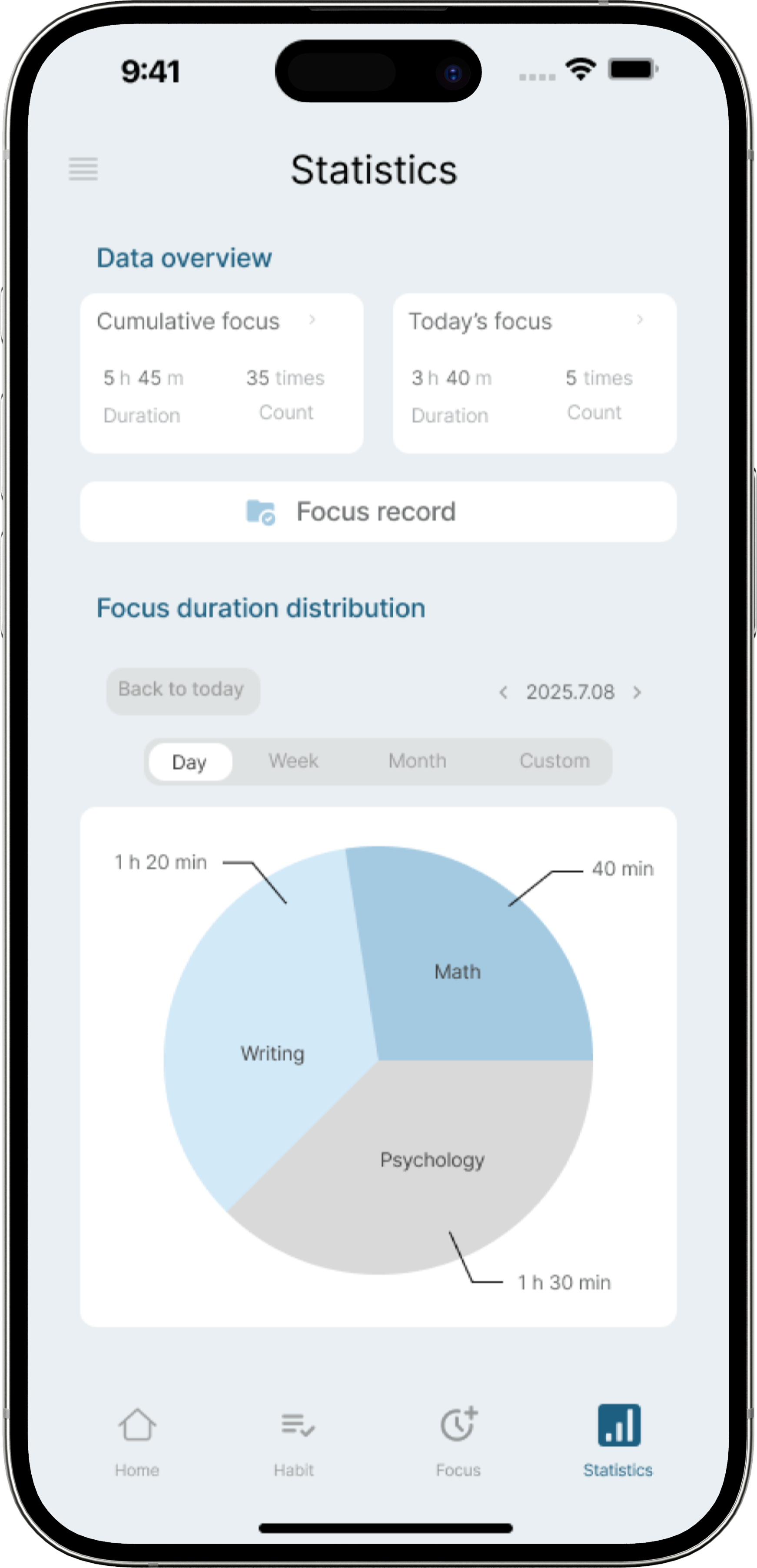

Focusflow welcome screen with to-do list Focusflow focus timer screen Focusflow statistics screen
focusflow

Focusflow

Role

UX Designer

Timeline

2 weeks

Team

1 UX Designer

Platform

Figma, Figjam


Context

What is Focusflow

FocusFlow is a calming productivity app that helps college students stay focused during solo study sessions. It helps users track focus time, reflect on their progress, and build better study habits without the pressure of traditional productivity tools.

For this personal case study, I researched student study habits and designed the full experience from early research to final prototype. The final design was tested with peers, who described the app as friendly, simple, and useful for staying on track.
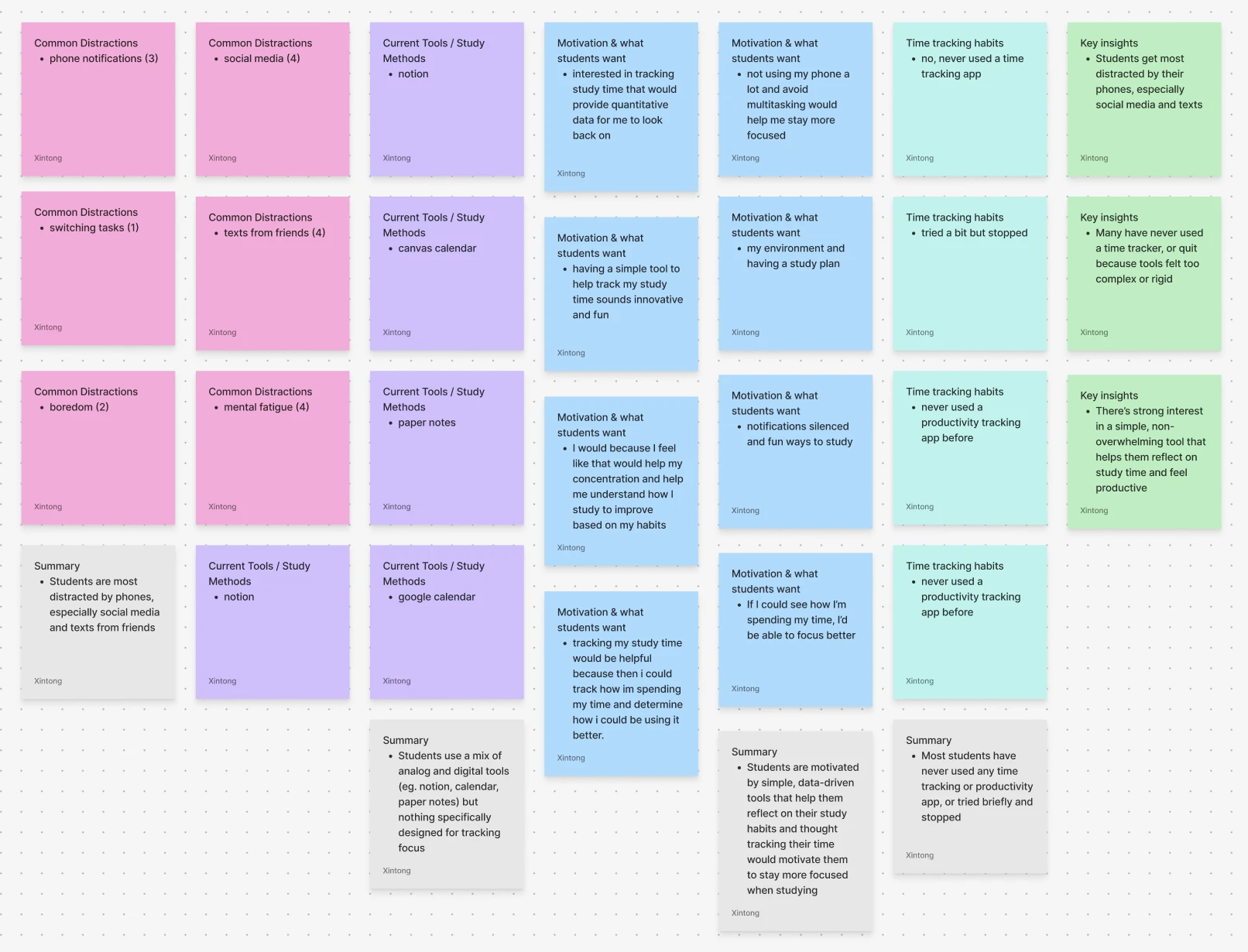
Affinity map of research notes on distractions, study tools, and motivation

Problem

Students need more than saved listings

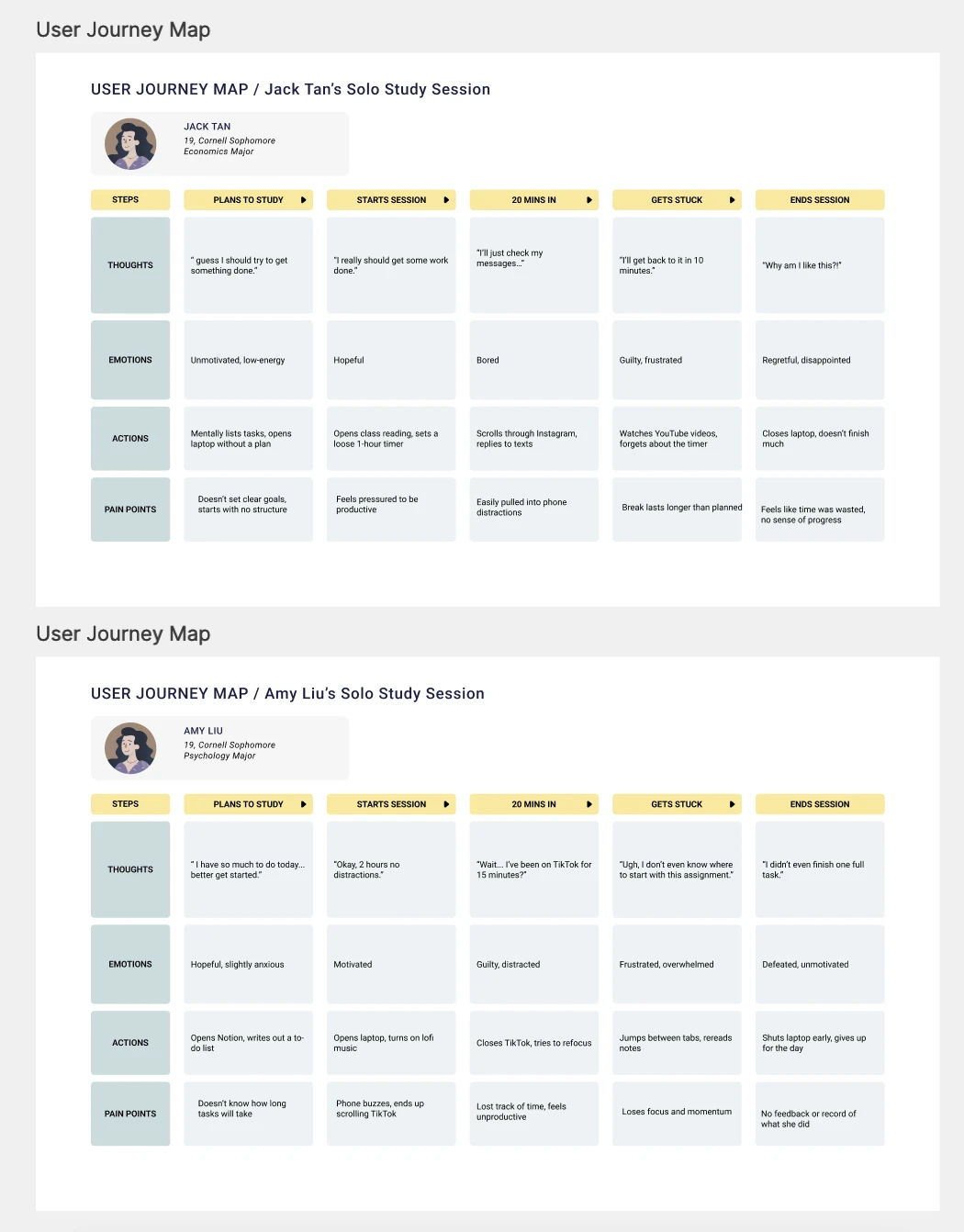
Students struggle to stay focused when studying because they can’t track how they spend their time. Without tools that provide feedback or structure, many students get distracted and lose momentum, which leads to frustration and burnout.

No real-time feedback

Without live progress cues, it’s easy to lose momentum without accountability

Lack time awareness

Hard to estimate how long tasks take, making planning difficult

Loss of focus

Distractions break flow and make it hard to stay on track

Pain Points

Students need more than saved listings

Students struggle to stay focused when studying because they can’t track how they spend their time. Without tools that provide feedback or structure, many students get distracted and lose momentum, which leads to frustration and burnout.

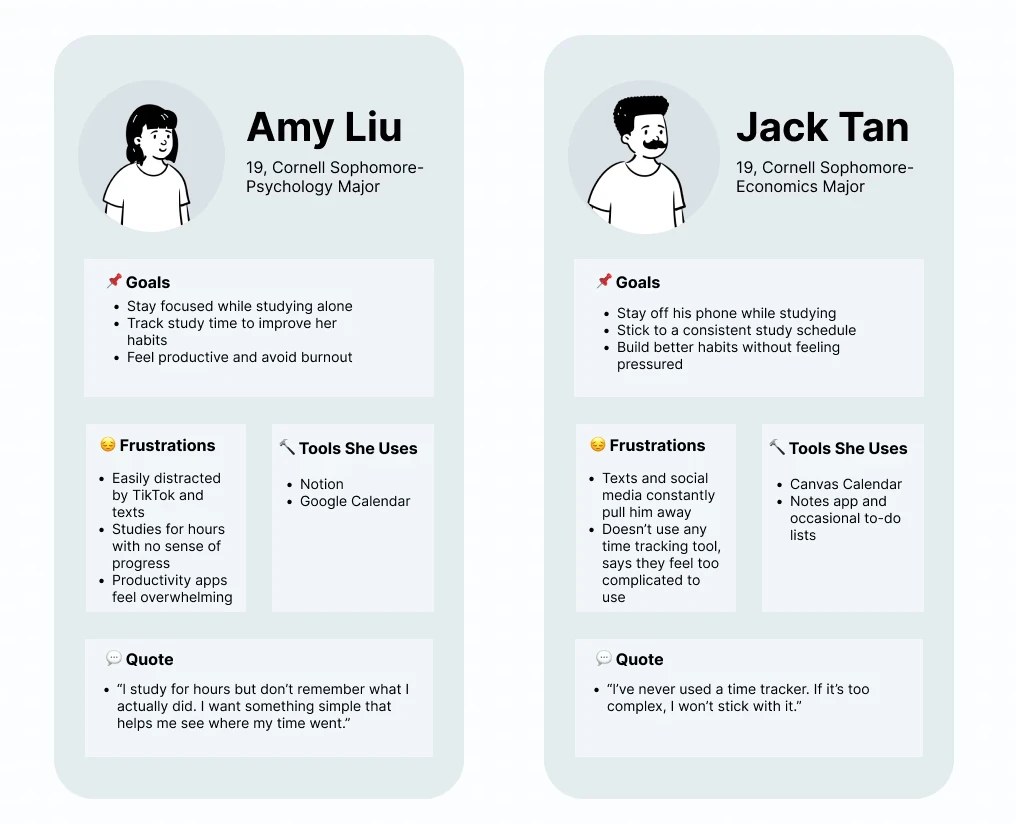
Persona cards for Amy Liu and Jack Tan showing goals, frustrations, and tools used

Goals

01

Clear Progress Cues

Students want live progress signals to stay motivated and know they’re on track

02

Fewer Distractions

Students need tools that reduce interruptions and maintain concentration

Key Insights

Focus tracking should feel low-pressure

Students want a productivity tool that makes focus tracking feel simple and low-pressure. Visual feedback and gentle progress insights help them stay motivated without feeling overwhelmed.

Most students don’t use productivity tools regularly

They want something that tracks time without pressure

Feedback and visualization are key for motivation

Focusflow home screen mockup and app screenshot with to-do list and stats

Solutions

Students need more than saved listings

Students struggle to stay focused when studying because they can’t track how they spend their time. Without tools that provide feedback or structure, many students get distracted and lose momentum, which leads to frustration and burnout.

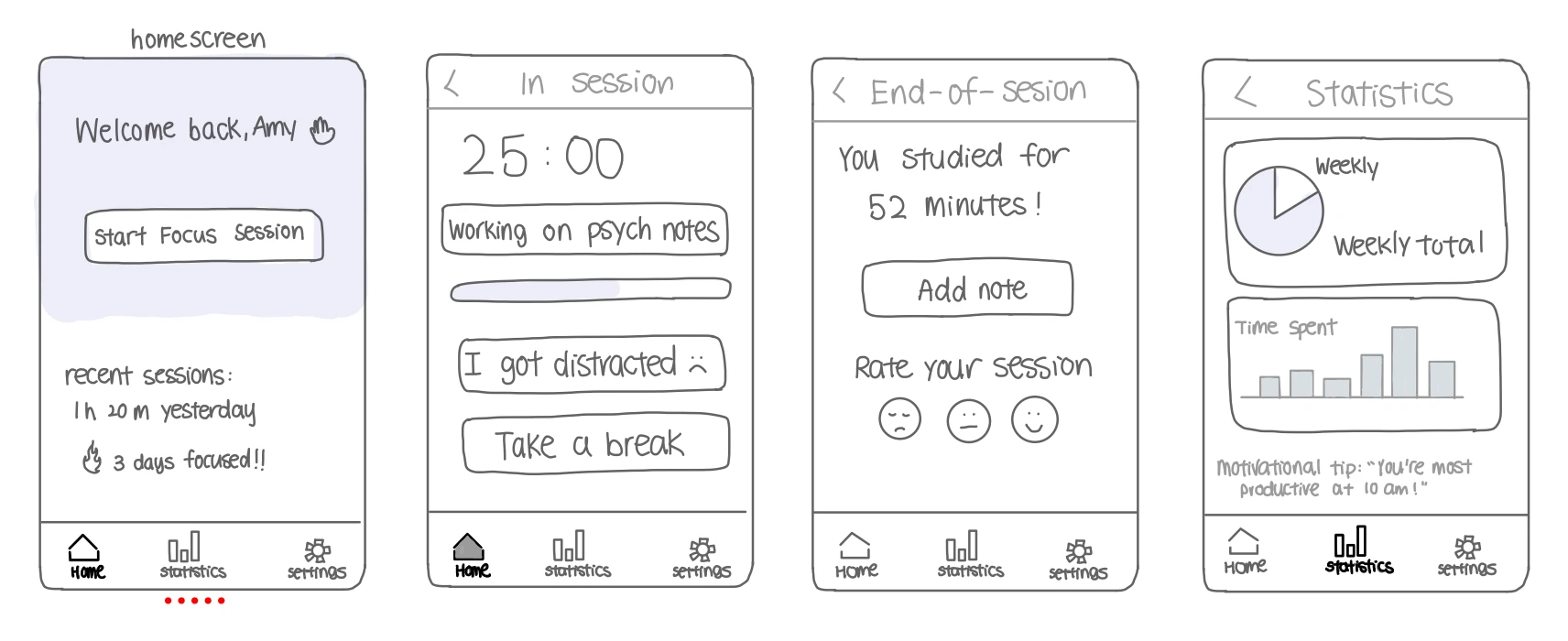
Wireframe sketches of home, session, end-of-session, and statistics screens
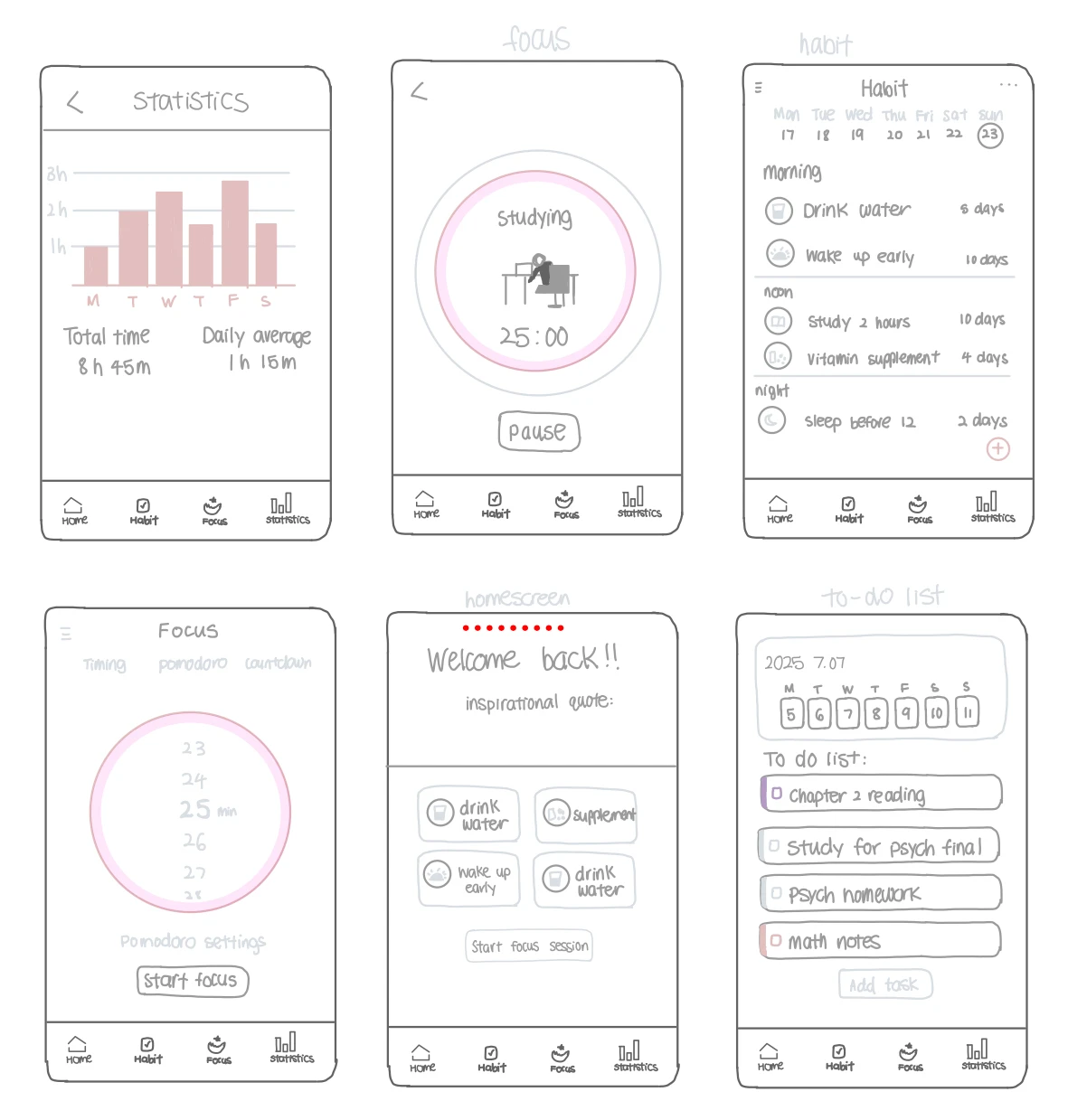
Wireframe sketches of statistics, focus timer, habit tracker, and to-do list screens

Final Design

Reflection

What did I learn?

As my first case study, FocusFlow taught me how to make design decisions with more intention, especially under a short timeline. Since the full project was completed in only two weeks, I couldn’t explore every idea in depth, so I focused on what mattered most: creating a focus tool that felt calm, simple, and supportive instead of stressful.

This project also helped me understand the trade-off between keeping an experience clean and adding more features. Even though testers responded positively to the welcoming interface and easy flow, I know the project would be stronger with more diverse testing, more time spent on mid-fidelity iterations, and thoughtful customization options like themes or gentle notifications. Moving forward, I want to keep building on this low-pressure experience while making the app feel more personal to different student routines.

← All work